Gagne's Nine Events of Instruction
Overview
The goal of this concept project is to develop an eLearning module that effectively applies Gagne’s 9 Events of Instruction
to enhance learning outcomes. The module aims to provide a structured and engaging learning experience for learners in
various educational or professional settings. This project will focus on teaching new employees how to handle customer
complaints effectively in a retail setting.
- Audience: Customer complaint handling agents
- Responsibilities: Instructional Design, eLearning Development, Visual Design, Storyboarding, Action Mapping
- Tools used: Moqups, Google Docs, Google Slides, Adobe Illustrator, Figma, Freepik, Articulate Storyline 360
The Problem
The module will be delivered through a user-friendly eLearning platform accessible via desktop and mobile devices.
It will feature a responsive design and intuitive navigation to optimize user experience.
.
As a result, there is a pressing need for an eLearning solution that incorporates proven instructional design principles,
such as Gagne’s 9 Events of Instruction, to deliver engaging and impactful training on customer service skills.
Solution
By applying Gagne’s 9 Events of Instruction, this concept project aims to create a robust eLearning module that enhances instructional effectiveness and learner engagement. By focusing on structured learning experiences and incorporating interactive elements, the module will empower educators and instructional designers to create impactful learning materials that foster deep understanding and application of knowledge across diverse learning contexts. By addressing these challenges through an eLearning project grounded in instructional design principles like Gagne’s 9 Events of Instruction, retail organizations can effectively enhance customer service standards, improve employee performance, and ultimately drive positive business outcomes.
Process
After selecting the scenario-based eLearning solution, I created the action map outlining the necessary steps for organizations to effectively enhance customer service standards, improve employee performance, and ultimately drive positive business outcomes. I crafted a text-based storsyboard with a complete script, visuals and programming notes. I also developed a style guide and visual mockups. I then created an interactive prototype before finalizing the module.
Action Mapping:
In this project, I served as the Subject Matter Expert, to develop the action map and establish the overall goal for the project. I prioritized key actions that the Customer Complaint Handling agent must perform to make the entire experience successful.
Text based Storyboard:
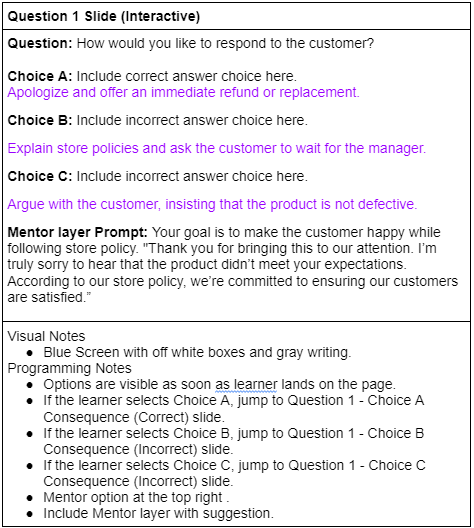
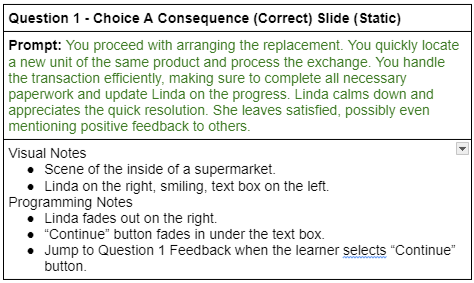
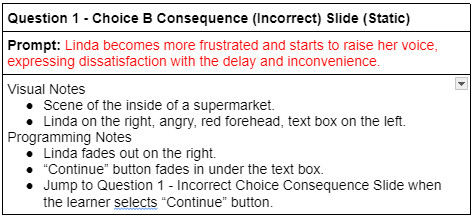
Once the action map was done, I developed a text-based Storyboard to create the choices and the consequences.
I framed the scenario as a Customer Complaint Handling Agent’s day on the job, and I consulted my friend to ensure
each element was grounded in reality. I chose several angry customers with various complaints regarding product quality.
As the learner goes through the scenario, each option proposes 3 / 4 actions: a correct choice and 2 / 3 distractors.
If the learner chooses the correct action, they will progress in the scenario. If the wrong option is selected,
the learner will see the real-life consequences and are provided with the “try again” button that leads them back to the question.
Visuals Mockups:
After many iterations on the storyboard, the focus shifted to visual design. I began creating visual mockups for the scenario in Figma. Figma allowed me to experiment with visual elements and layouts in order to settle on something that felt polished and immersive.
Shades of blue and gray color scheme formed the basis for my style guide. After choosing the color scheme, I selected a sleek, modern font to complement it. To ensure accessibility and readability, I tested various color combinations for text boxes and buttons before finalizing them in the style guide.
I created wireframes for my slides, focusing on element spacing and layout for each slide type.
I then designed visual mockups for my slides. Character vectors were manipulated. I opted for an illustrative style with a realistic touch aimed to immerse learners in the environment, and chose to directly involve them in the experience instead of using an illustrated character representation.
Visual Storyboard:
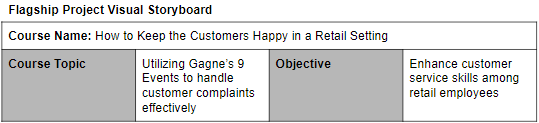
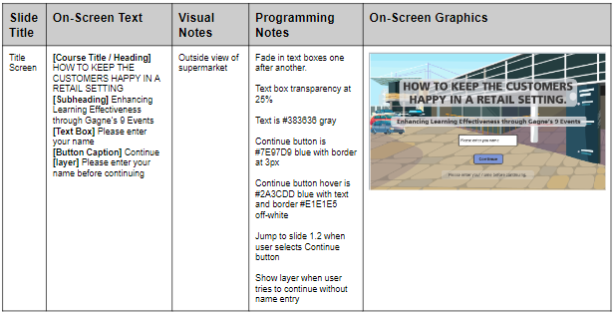
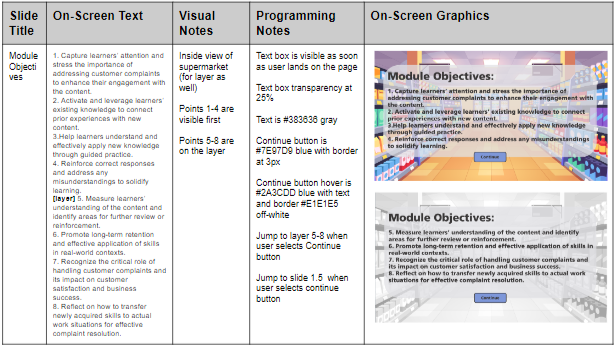
The visual storyboard allowed me to combine my visual mockups created in Figma and Adobe Illustrator
with the text-based storyboard to have all the elements conveniently organized in one place.
Here, I defined the programming for each slide and prepared to develop the interactive prototype.
Interactive Prototype:
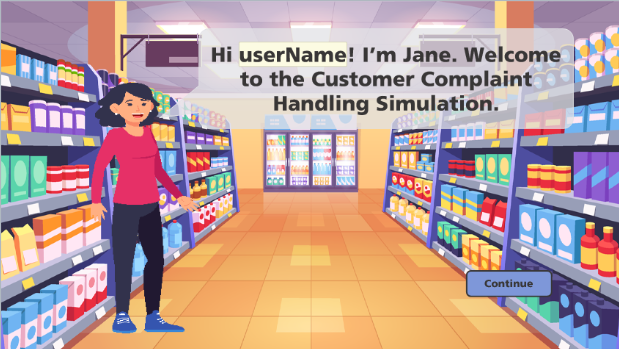
After receiving feedback on the visual elements, I developed an interactive prototype. I used Articulate Storyline 360
to create an interactive prototype using the visual mockups and storyboard to establish the scenario’s programming.
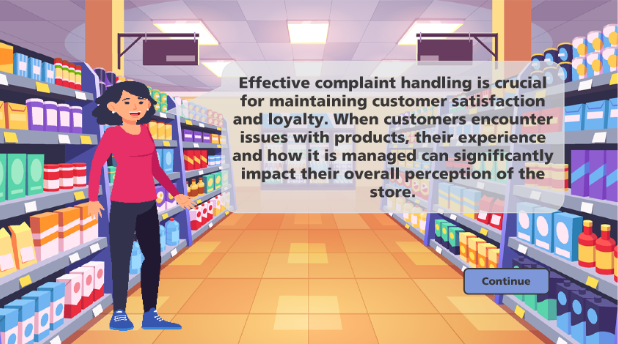
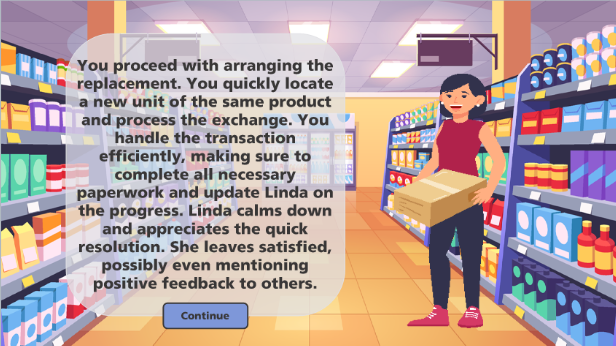
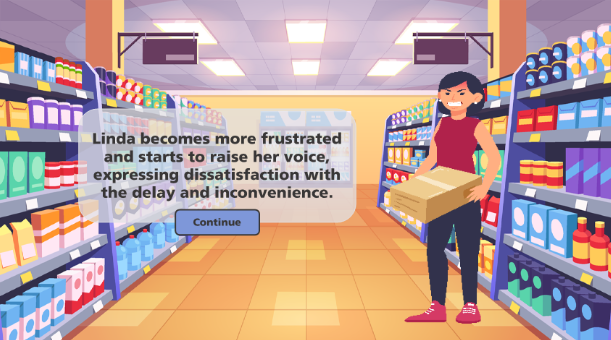
The prototype consisted of the title screen, scenario introduction, mentor introduction and the first question’s correct
and incorrect consequences.
I sought reviews from my friend at this crucial stage to ensure valuable input. Since the prototype was only the first
few slides, I was able to make adjustments quickly based on the feedback, rather than having to redo the fully developed
experience.


Full Development
Using feedback on the prototype, I was able to move on to the full development for my concept project.
One particular feature I am proud of is the drag and drop that I created for the Customer Complaint categorization. Articulate Storyline 360 has a built-in drag and drop feature, but I wanted full control over the way the drag and drop was executed. I used triggers to collect where learners dropped each complaint. Upon submitting, they were given feedback on their choices.
Experience the ProjectResults and Takeaways
There are many new things that I learned along the way while creating this project.
.
New Programs - Using Adobe Illustrator was a skill I did not have before starting this project.
This was also my first time using Figma and Moqups.
Through this project, I gained valuable knowledge and experience of instructional design.
I deepened my understanding of each component of the instructional design process.
This project has been a significant learning opportunity that has enriched my understanding and application
of instructional design principles.